Firefox Installation
Download the latest version of the Firefox Browser from the Mozilla website.
Once the page has loaded, click on the image that looks like this:

This will load up another webpage and bring up a window that looks like this:
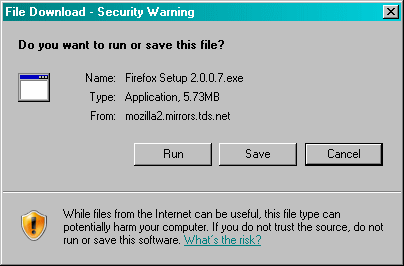
Click the  button.
This will bring up the "Save As" dialog box.

Select a location where you want the file to be saved, and click the  button, and the download will begin.
|
Click here to continue.
|
 |