Firefox Installation (Continued)
Once the download has completed, you will see a window that looks like this:
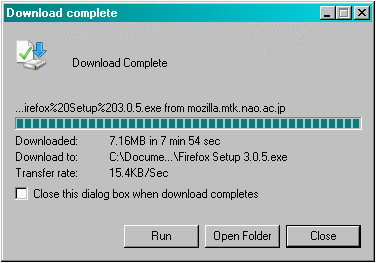
Click the  button.
A window will pop up that looks like this:
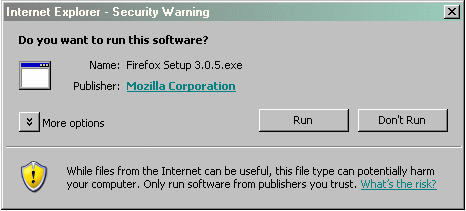
Click the button.
This will begin the installation process.
The Firefox splash screen will come up. To continue installation click the  button.
|
Click here to continue.
|
 |