Installing OpenOffice
The following installation instructions
were originally created by Prof. Holly Mathews
We are grateful to her for allowing us to use her materials in our
ANGEL gateway.
Part One: Basic questions about OpenOffice before we begin
|
What is OpenOffice? |
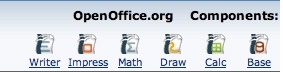
OpenOffice is an open source project (meaning anyone can work on the code used to create it and it is free to all) that has constructed a suite of software similar to and compatible with Microsoft Office. It contains equivalents of Excel, Word, PowerPoint and so on. |
|
Why should I get OpenOffice? |
OpenOffice is great for students who need an affordable way to construct documents and presentations for their classes. It's free. It works well and it's compatible with MS Office. |
|
What will I need to complete this download? |
You will need:
|
|
What's is this page going to teach me? |
The purpose of this page is to teach you how to download and install of OpenOffice. The first section shows you how to download the program. The second section shows you how to install and run the program on Windows. |
|
Is there anything special I should know before I get started? |
Here are some useful things to know:
|
|
Before we get started, can you tell me which OpenOffice program corresponds to which MS Office program? |
|