Installing OpenOffice
The following installation instructions were originally created by Prof. Holly Mathews
We are grateful to her for allowing us to use her materials in our ANGEL gateway.
Part Two: Ready, Set, Download!
|
STEP 1:
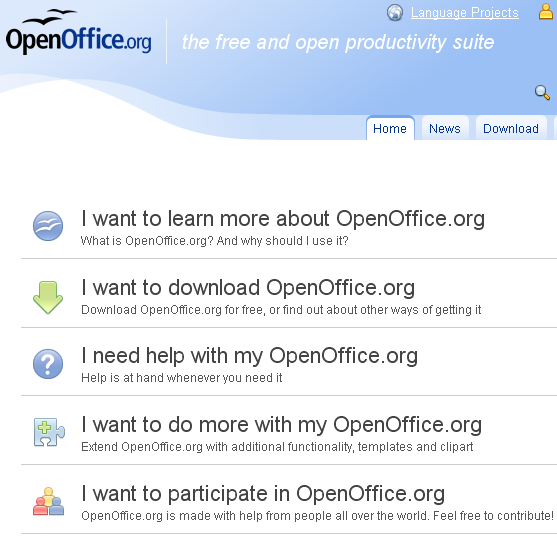
Use your Internet browser to go to the
OpenOffice homepage at http://www.openoffice.org
|
|
|
STEP 2:
Click on the area where it says "I want to download openoffice.org"
|

|
|
STEP 3:
Click on the green area that says "Download Now!"
(Note: If you prefer to order a FREE install CD click on the  link.)
|

|
|
STEP 4:
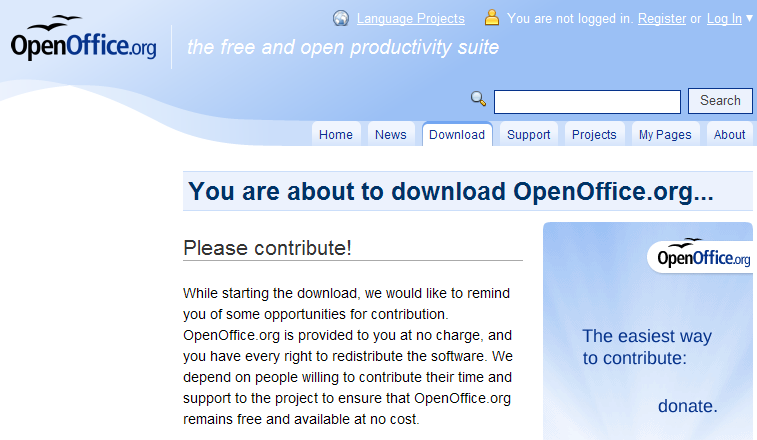
The next page will ask you to contribute to the OpenOffice project and if you
would like to you can.
You will notice that towards the bottom of the page there is an area that says "Installation
Instructions" - if you would like more detailed instructions than the ones
you are reading here,
|
|
|
STEP 5:
At the top of your browser, you may see a warning similar to the image on the right.
Click on the warning bar, and select "Download File"
|

|
|
STEP 6:
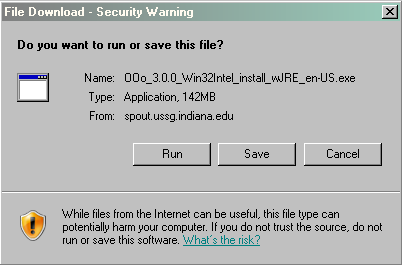
Now the actual download will take place. When you see a dialog box similar to the one to the right,
Click the  button and put your feet up and work on
something else for a while while your computer works on this. How long this
takes will depend on the speed of your Internet connection. button and put your feet up and work on
something else for a while while your computer works on this. How long this
takes will depend on the speed of your Internet connection.
|
|
|

|
|
Click here to continue.
|