
ANGEL Live Chat
How to use the Chat feature in ANGEL.
ANGEL Live Chat
How to use the Chat feature in ANGEL.
Along with the other communication tools available in ANGEL, there is also the Live Chat. Live Chats can be set up by instructors to help in group projects, or to have live synchronous communication with students.
To get to a course chatroom, click on the  tab at the top of the page.
If the instructor has set up Chatrooms, then they will be listed in the "Live Chat" Nugget, like in the example below.
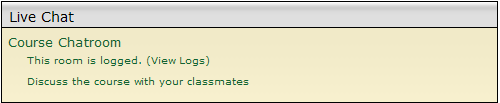
To access the chatroom, simply click on the name of the chatroom. In this case, the name is "Course Chatroom".
Content ©2009. All Rights Reserved.
Date last modified: January 16, 2009.
