tab at the top of the page.
ANGEL Live Chat
How to use the Chat feature in ANGEL.
Along with the other communication tools available in ANGEL, there is also the Live Chat. Live Chats can be set up by instructors to help in group projects, or to have live synchronous communication with students.
To get to a course chatroom, click on the tab at the top of the page.
If the instructor has set up Chatrooms, then they will be listed in the "Live Chat" Nugget, like in the example below.
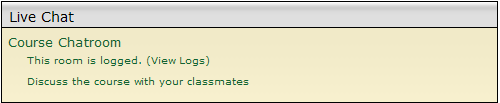
To access the chatroom, simply click on the name of the chatroom. In this case, the name is "Course Chatroom".
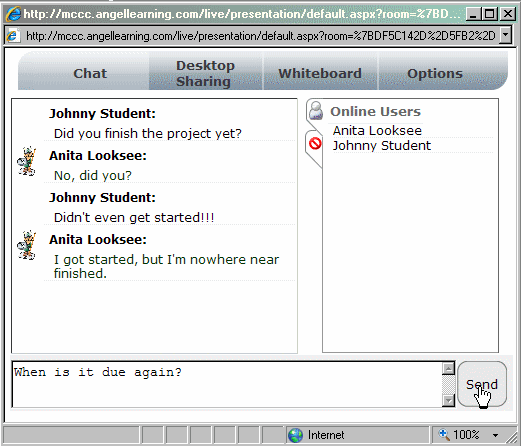
When you enter the chatroom, a pop-up window will appear and you will see the chatroom. On the right-hand side of the screen, there is a list of users who are currently in the chatroom.

To send a message to the chatroom, simply type the text in the box at the bottom of the window and click the "Send" button or hit "Enter" on your keyboard.
To exit the chatroom, just close the window and your session will end.