Disabling Pop-Up Blockers
Mozilla Firefox
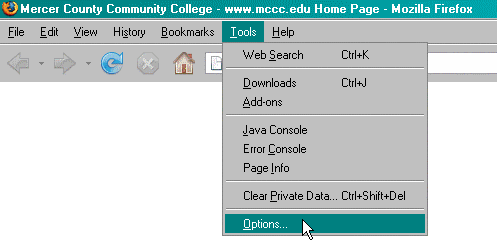
To disable the pop-up blocker in Mozilla Firefox browser, click on "Tools" in the menubar,
then click on "Options" in the drop-down menu.
This will bring up the options window in Firefox.
Click on the "Content" icon in the options window toolbar.

Then uncheck the checkbox marked Block pop-up windows.
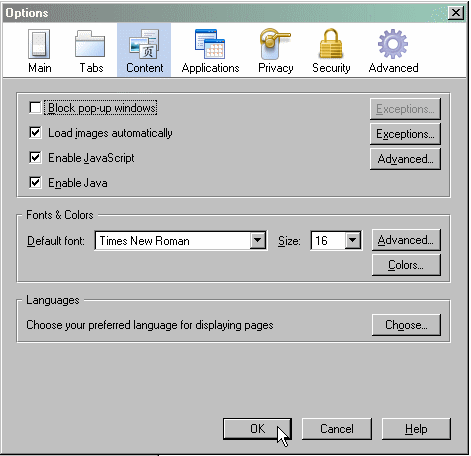
Click the  button.