1.) In order to merge courses, the “Toolbox” nugget needs to be enabled on the homepage of the person merging the courses. Because this could be a very dangerous tool in the hands of our instructors, I’ve set access only to individuals with access rights of 16 or greater. (Instructors currently have access rights of 8.)
2.) The person merging the courses needs to have Course Administrator rights to both courses, and the courses should be visible in the Courses nugget.
3.) The courses being merged need to be either empty or have a copy of the course materials exported and saved to a local drive because although the courses are being merged, the course contents are NOT being merged.
4.) Click on “Merged Roster Manager” in the “Toolbox” nugget to start the merge process.
5.) Select the courses to be merged.
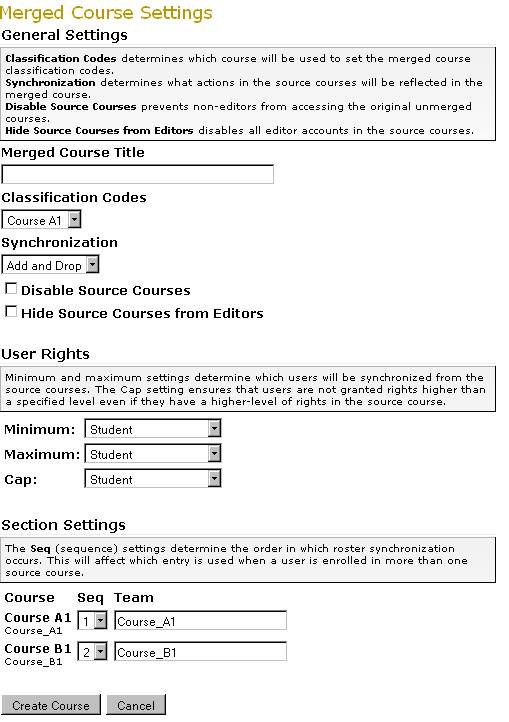
6.)Configure the settings that you’d like to use for the course. (see at bottom of page)
7.) Click “Create Course”
8.) Once the course has been created, you’ll need to import the course materials from the Master Courses or from a exported archive files.
9.) That’s it!