Internet Explorer Update (Continued)
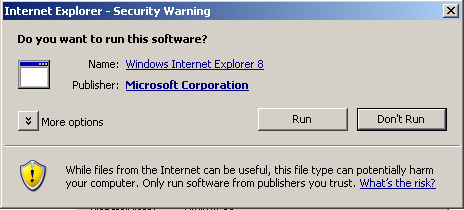
| Once the download has completed, you'll see a dialog box similar to the image on the right: Click on the  button, and the installation process will begin. button, and the installation process will begin. |
 |
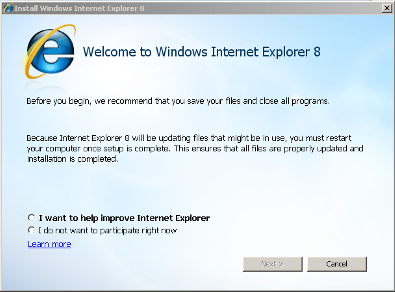
Next, you'll see the Internet Explorer installation splash screen (similar to the image on the right). At this point, you will need to select whether or not you wish to help Microsoft improve Internet Explorer. You must select one of these options, then click the  to continue. to continue. |
 |
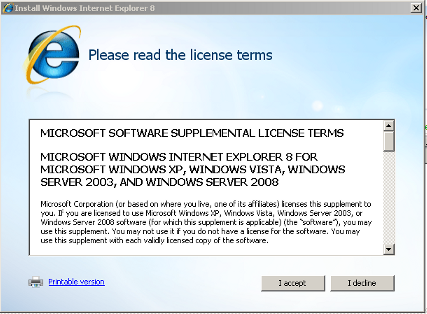
The next screen provides the End User License Agreement (EULA). Click on the  button to continue. button to continue. |
 |
 Click here to continue.