Installing CutePDF Writer
What is CutePDF Writer?
CutePDF Writer is an application that acts as a printer inside your computer and allows you to save your documents in a PDF format.
Why do I need it?
By saving documents in PDF format, we guarantee that the text cannot be changed, and we also provide the information in a format that can be read on any computer that has the Adobe Reader installed. (For instructions on how to install Adobe Reader, click here.)
The CutePDF Writer gives instructors the ability to create printer-friendly versions of lectures, syllabi, and other course materials.
Click here to download the CutePDF Writer
After you click the link above, you will see the following window:
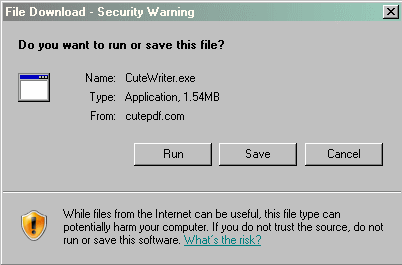
Click the  button.
The installation file will download and once the download is complete, you will see the following screen:
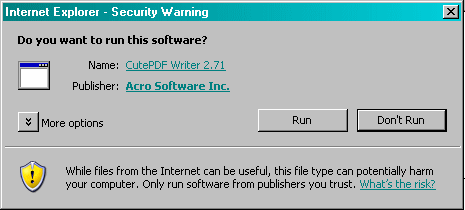
Click the button.
This will start the CutePDF Writer Setup Wizard.
When you see the splash screen, click the  button.
The next screen is the License Agreement Page. Click the radio button next to the words "I accept the agreement."
Then click the button.
This will bring up the final installation page.
Click the  button to install the CutePDF Writer.
The installation process will then begin. It could take a few minutes to complete the installation, but once it's done, the Cute PDF README.HTM file will be opened in your web browser.
|
Click here to learn how to use CutePDF Writer.
|
 |