Remember to have a current semester sticker on your student ID card.
To obtain a current semester sticker, take a copy of your current class schedule and your student ID to the security desk in the Welcome Center.
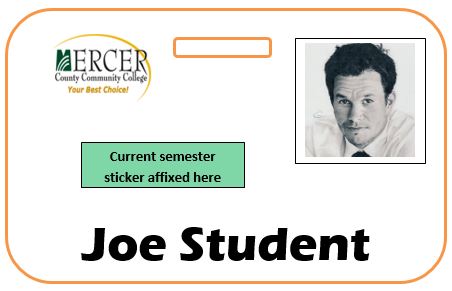

image: shutterstock.com
ENG102 - Information Literacy Refresher
Welcome to the ENG102 information literacy refresher. The work done in ENG 102 relies heavily on researched information as a component in your writing. The MCCC Library can be an important source for for your researched information.This tutorial is intended for students who may not have used the MCCC library's resources in a while and want to brush up on how to access and use many of the online resources available to you. This tutorial will also serve to introduce the MCCC library's resources to students who are familiar with online resources from another college/university's library but are not familiar with the specifics of accessing and using the MCCC Library's resources.
After completing this tutorial you will be able to:
- Use your MCCC ID card to borrow books (and other items) as well as use textbooks in the MCCC library.
-Access the MCCC Library's online databases both on and off campus.
-Search the MCCC Library's databases and limit searched to:
-Just full-text articles
-Just peer reviewed/scholarly publications
-A specific date or date range
-Obtain citations in MLA (or APA) from the databases for the information you locate.
Your MCCC student ID card is also your library card. Have it with you when you come to the library in order to:
* The library has textbooks for many of the courses offered at MCCC, including ENG 102. You may obtain textbooks at the circulation desk in the front of the library. Please ask for textbooks by course number. Textbooks are for in library use only however, you may photocopy (or take pictures) of any pages of a textbook in the library.
|
Remember to have a current semester sticker on your student ID card. To obtain a current semester sticker, take a copy of your current class schedule and your student ID to the security desk in the Welcome Center.
|
image: shutterstock.com |
Remember to turn on your speakers first.
;
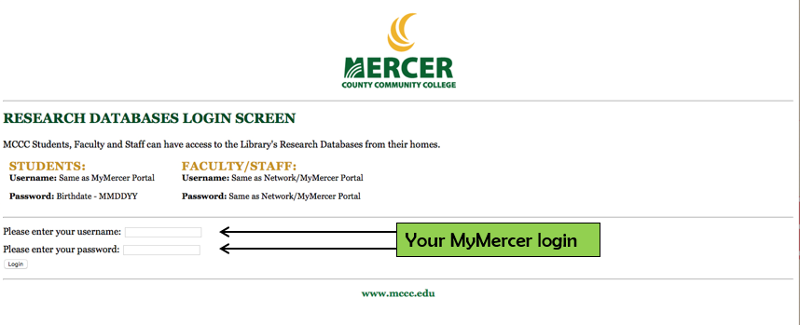
When you try to access a database and you are not on the MCCC Campus, you will be stopped by a logon screen.
To login when you are off campus use the same login as you use for your MyMercer account.
Contact the library if you are having trouble accessing the databases from off campus.
|
Unlike general web searching, with databases you may limit your searches. Some commonly used options include limiting:
Though the principles of searching the databases is similar from database to database, the interface (screen layout) varies with each database company.
Two of the largest database companies are Proquest and EBSCOhost. Let's take a look at their interfaces.
|
image:shutterstock.com |
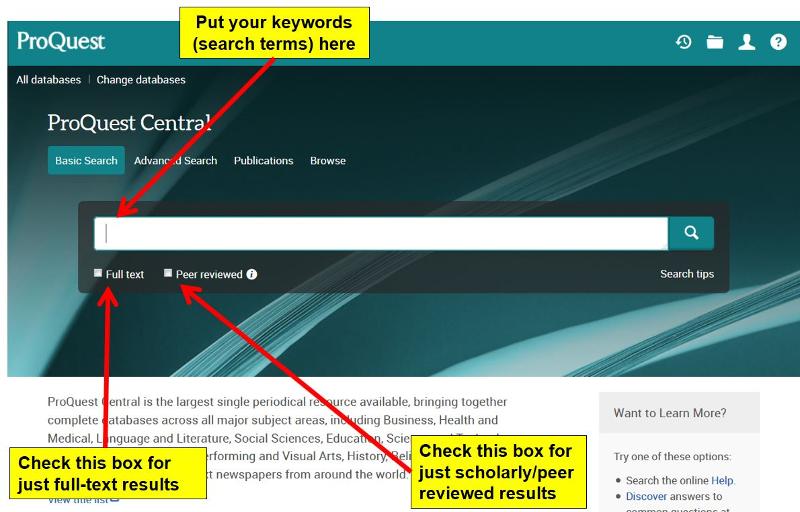
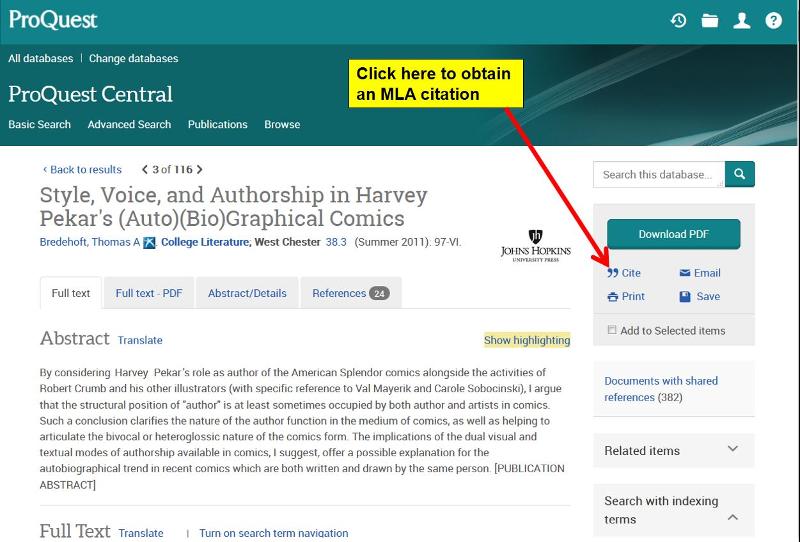
Once you have a single article from your results page on the screen, select the "Cite" icon and select MLA from the dropdown menu to obtain an MLA citation. Remember to select the most recent (currently 8th edition) version of MLA formatting.
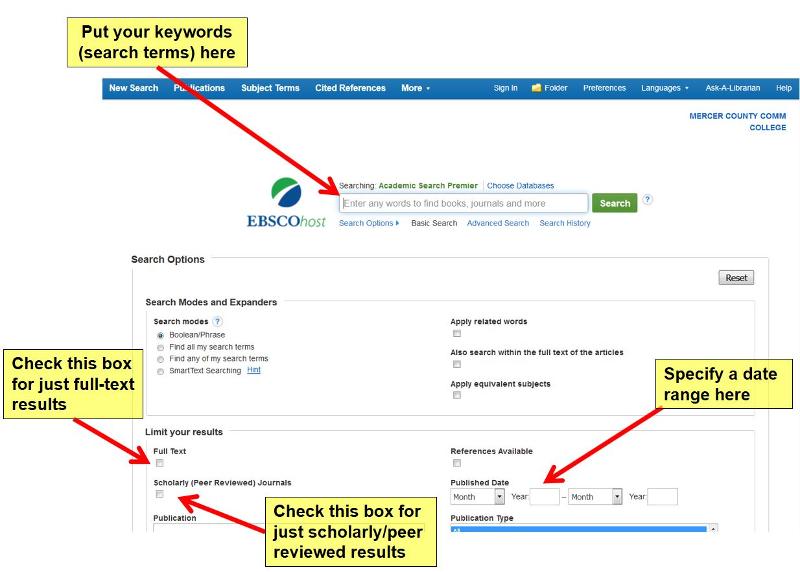
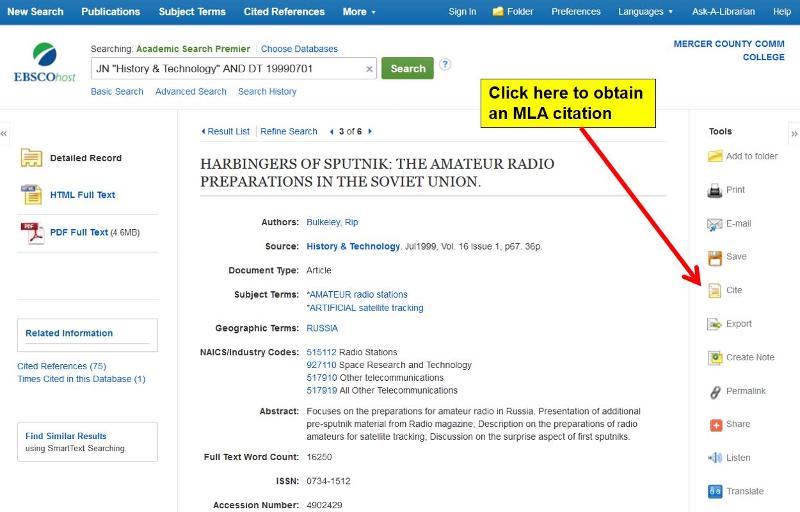
Once you have a single article from your results page on the screen, select the "Cite" icon and select MLA from the list of citation formats to obtain an MLA citation.
ENG102: Information Literacy Refresher
Using MerSearch
MerSearch will allow you to search multiple databases (and e-books if you want) in one single search
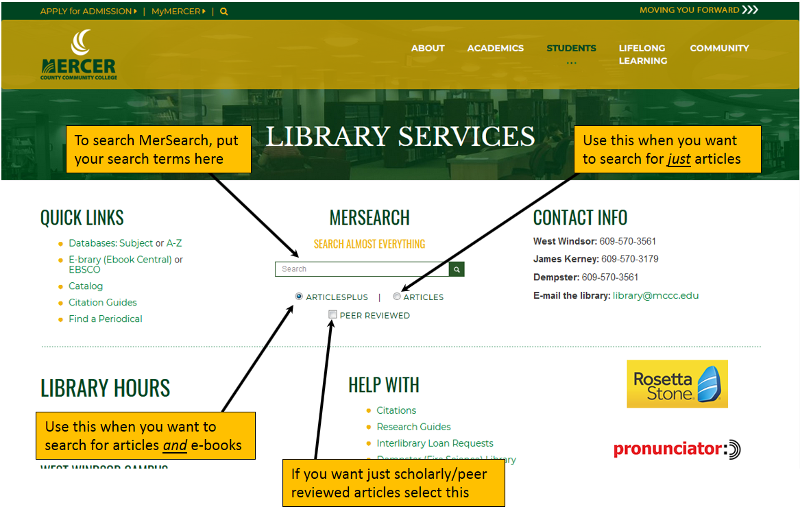
NOTE: The results page & articles in MerSearch are nearly the same as with the EBSCOhost databases.
ENG102: Information Literacy Refresher
Using Other Databases
A Few Comments about MLA Citations
|
image:shutterstock.com |
|
image: shutterstock.com
|